
The product
Everything a small park needs.
Nothing a resort does.
Bookings, the calendar, the money, the map, the store, the books — the whole front office, with none of it behind a sales call or an add-on price sheet.
Booking page
A booking page with your name on it.
Every park on Bunkpost gets one link — bunkpost.com/book/your-park — that works on a phone at a trailhead as well as it does on a desktop. Guests pick their dates, see exactly which sites are open (and which aren't), and pay by card.
Sold-out sites show as sold out instead of disappearing, so guests trust the page. Add-ons like firewood or early check-in ride along at checkout, promo codes apply live, waivers get signed before payment, and confirmations and reminders go out automatically.
Pinewood Hollow
Check-in
Jul 17
Check-out
Jul 20
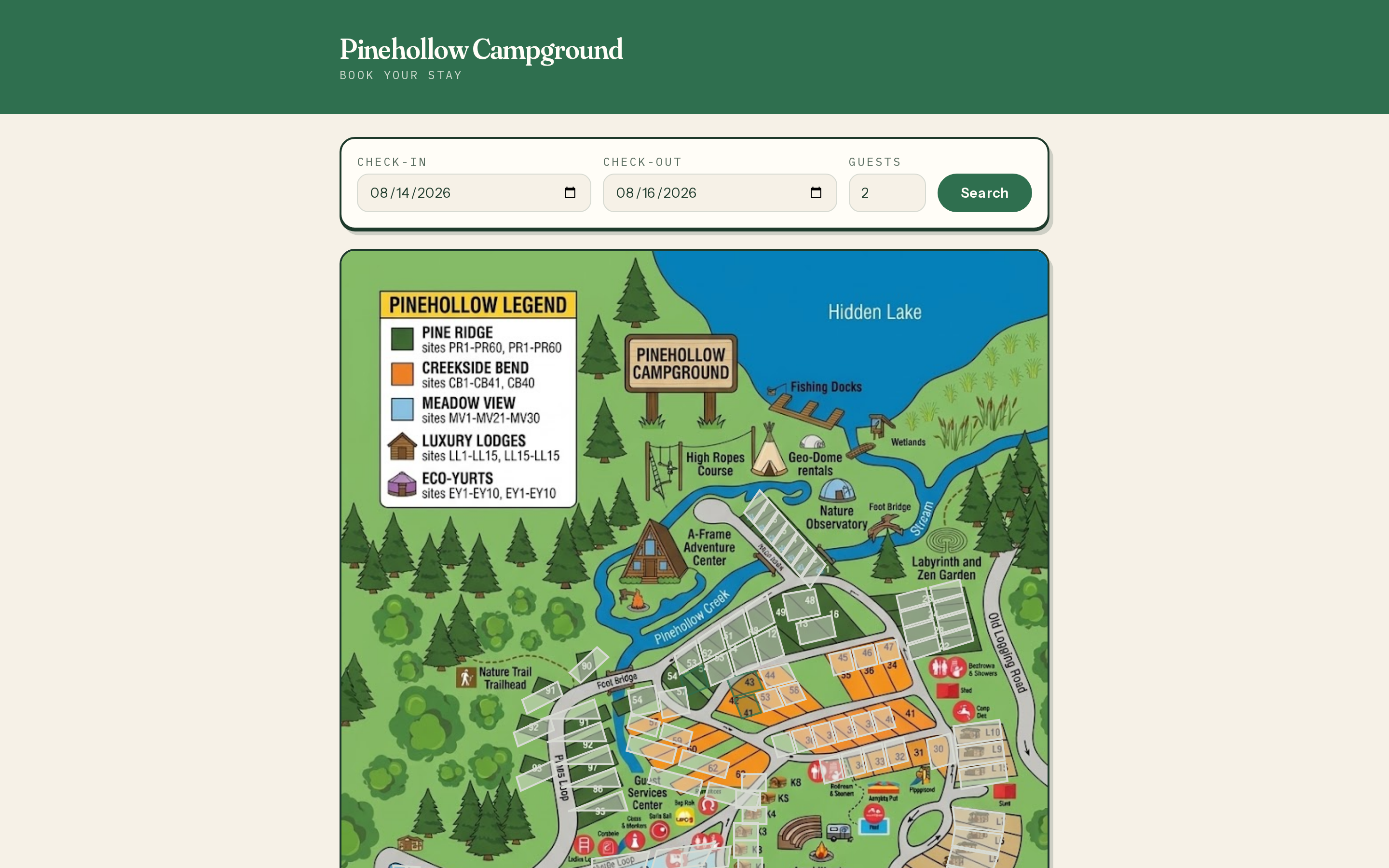
Interactive site map
Guests pick their spot on your map.
Upload a picture of your campground map and drop a pin on every site — it takes an evening. From then on, guests who search their dates see the park itself: open sites tap straight through to checkout, taken ones show as taken.
Want to charge for the privilege? Set an optional site-lock fee, and guests who don't care get a cheaper "any site — we'll assign one" option. The regulars who must have Riverbend 12 pay a little extra to guarantee it.
Calendar & reservations
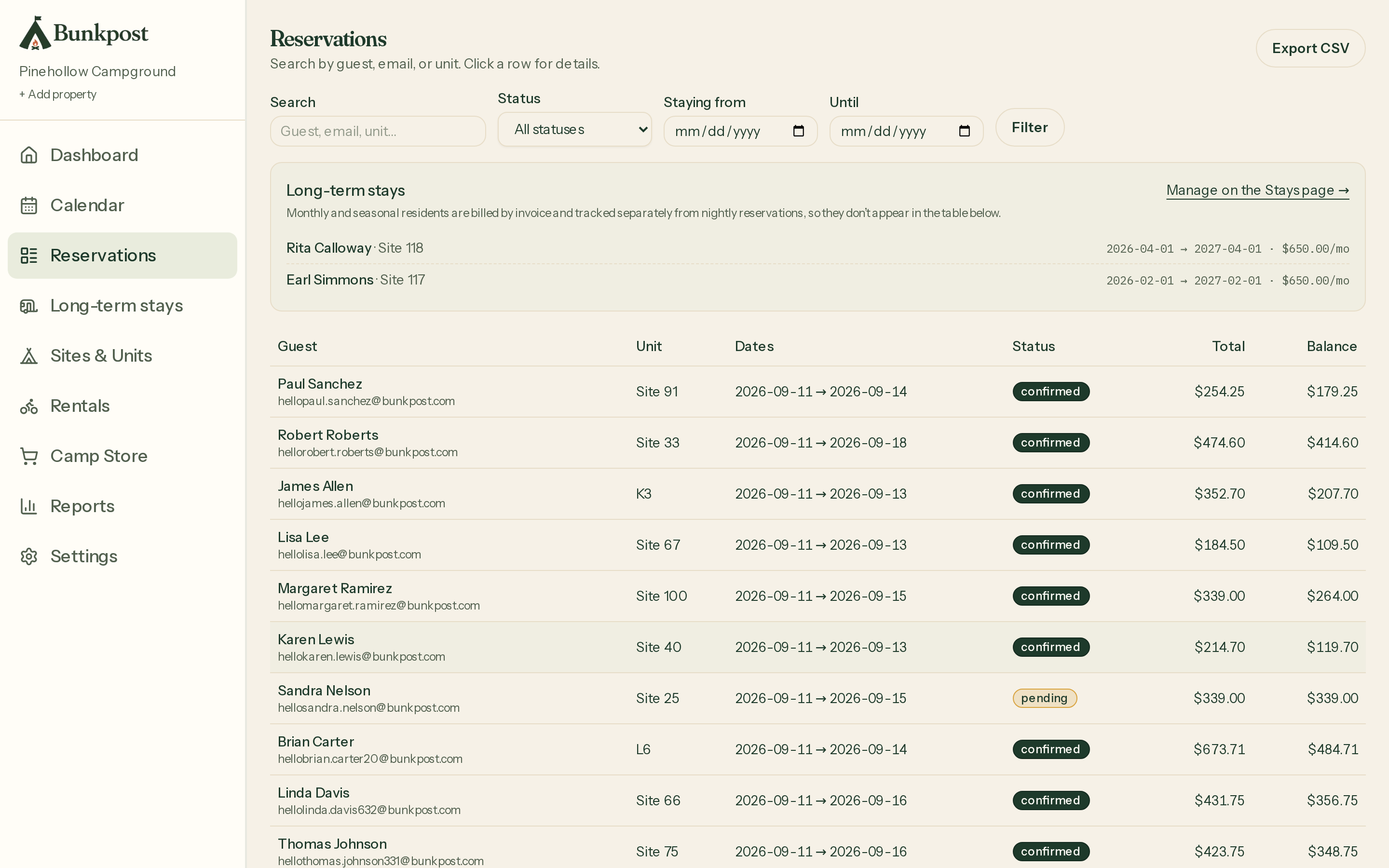
The calendar is the source of truth.
Every site, every night, one screen. Walk-ins and phone bookings go in alongside online reservations, and the same rule protects all of them: the database physically cannot store two overlapping stays on one site. Not "we check first" — cannot.
Monthly and seasonal guests get their own long-term stays that hold a site for the whole run and bill by the month — metered electric included, if you read meters. The reservation list is searchable and exports to CSV whenever your accountant asks.
Payments
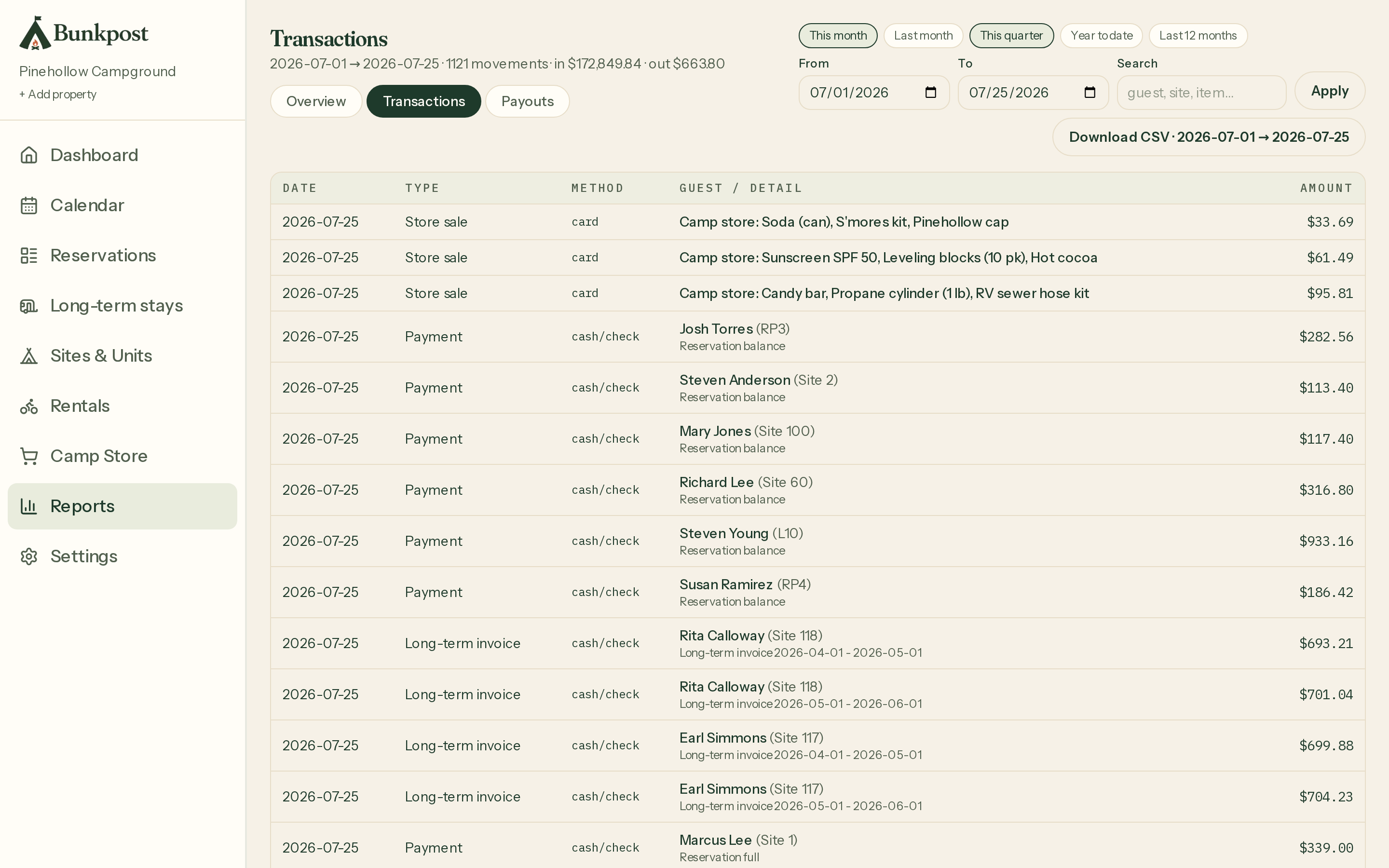
Card payments in. Daily payouts out.
Connect payments from Settings → Payments with Stripe's guided onboarding — no API keys, no webhooks, no developer required. Every booking is processed through Stripe Connect, and payouts are issued to your bank automatically, every day.
Cards are kept on file (with the guest's OK at checkout), so balances and store charges are one click — or guests settle up themselves from their stay page. Refunds and receipts are handled from the same screen as the reservation.
Rates, taxes & policies
Set the rules once. They enforce themselves.
Define seasonal rates (peak, shoulder, off) and every quote uses them. Add your lodging and sales taxes and every total includes them. Write your deposit and cancellation policy and every guest agrees to it before paying.
When you're ready for it, dynamic pricing adds two honest dials: a last-minute discount for empty nights close in, and a busy-weekend bump when the park is nearly full. Change anything in February; it's live for July bookings the moment you hit save.
Camp store
The store runs on the same system.
Firewood, ice, s'mores kits: build your item catalog with prices and (if you want it) stock counts, then ring up sales by scanning a barcode or tapping the item. Cash, card, or charged straight to the guest's site.
Receipts print from the browser on a regular receipt printer, stock counts down as you sell, and every register sale lands in your reports next to the bookings. Any barcode scanner that plugs into a USB port works — no special hardware to buy.
Reports & accounting
Numbers your accountant will take as-is.
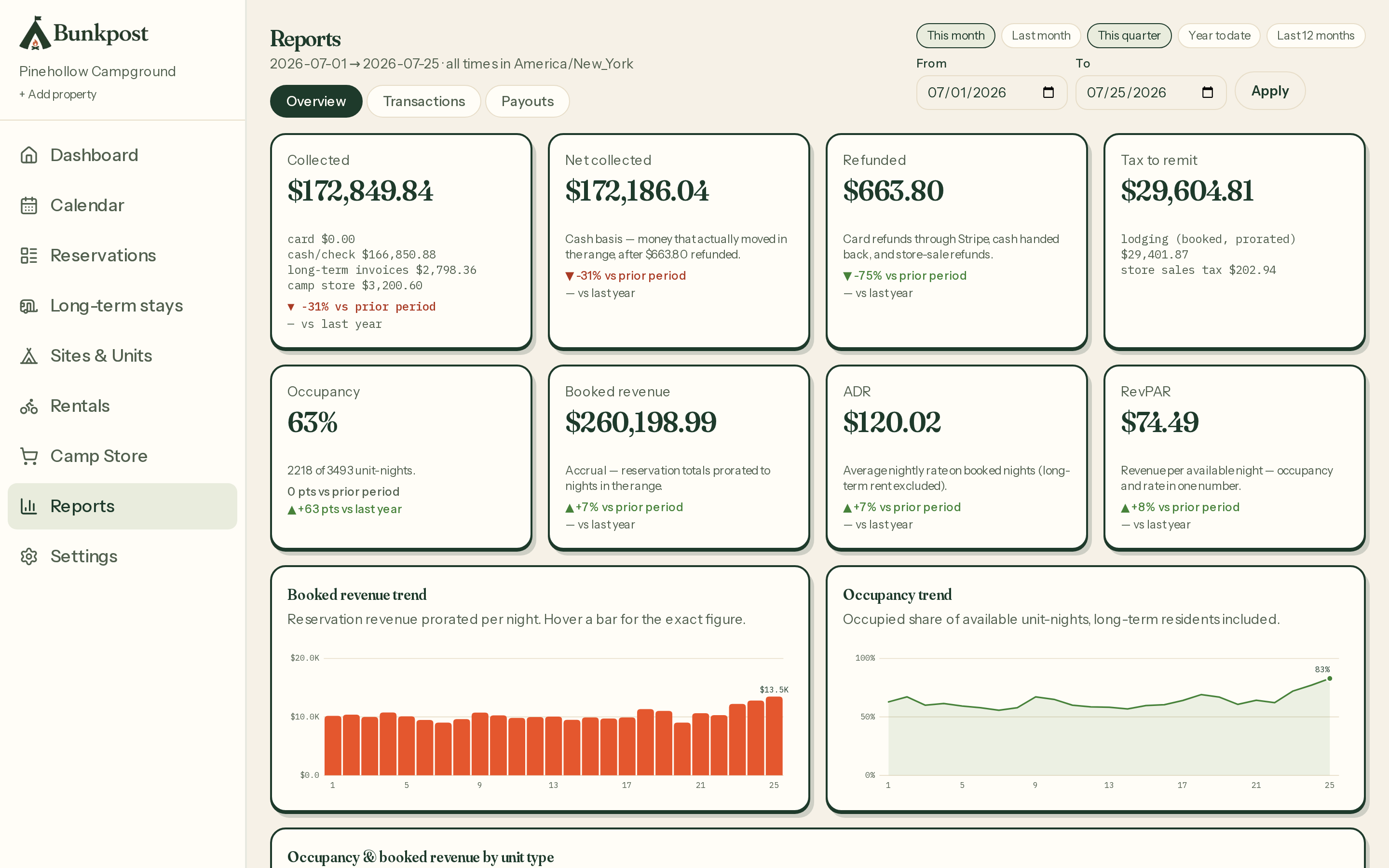
Pick a date range and see the money plainly: what came in by card, cash, and monthly invoice, what went back out as refunds, occupancy and revenue by site type, and the lodging and sales tax you owe — the actual remittance number, not homework.
Every payment, refund, and store sale exports to a CSV that maps onto QuickBooks columns, and the payouts view reconciles each bank deposit back to the reservations inside it, Stripe fees and all.
Your brand
Your booking page can dress like your website.
Have a website you're proud of? Bring its colors, your logo, and one of five font pairings to your booking page, and pick the card style that matches — guests never feel like they've left your site.
Don't have a website? Skip all of it. The stock page is the same design you're reading right now, and it needs no decoration to take bookings.
Pinewood Hollow
bunkpost.com/book/pinewood-hollow
Brand color
Fonts
Classic — Playfair & Source Sans
Cards
Soft — floating shadow
Also in the pack
The small stuff, included.
Monthly & seasonal stays
Long-term guests hold their site for the season and get a monthly invoice — with metered electric billed from the reading, if your sites have meters.
Promo codes
Percent or dollars off, with an optional date window and usage cap. Guests apply them at checkout and see the discount before they pay.
Add-ons at checkout
Firewood, early check-in, extra vehicle — priced per stay or per night, picked by the guest, included in the total.
Guest self check-in
Every confirmation links to a stay page with directions, balance due, and an "I've arrived" button. Fewer lines at the office window.
Group bookings
A family reunion can book up to five sites in one checkout, one payment. You see them together on the calendar.
Waitlist
Sold-out dates offer a waitlist signup. When someone cancels, the list gets an email with a booking link — first come, first told.
Waiver e-signature
If you have a waiver, guests sign it at checkout — typed name, timestamped, stored with the reservation.
Post-stay thank-you
The day after checkout, guests get a thank-you email carrying your review link. Reviews compound; ask every time.
Team accounts
Invite your spouse or summer staff by email; everyone works the same calendar. Optional two-factor login for the careful.
More than one park
Run several properties from one login, with a roll-up dashboard of occupancy and arrivals across all of them.
No guest accounts required
Guests book with an email address. No passwords, no app downloads.
Works on any device
Run the park from the golf cart. Everything works on a phone.
See it with your own sites in it.
The fastest tour is just setting up your park. It takes an afternoon, and it's free to start.