
At a glance
- The flow
- Dates → pick a site (on the map, if you have one) → checkout → paid. No account, no app.
- The stay page
- One link with everything: bill, directions, gate code, WiFi, add-ons, and an “I've arrived” button.
- The emails
- Confirmation, a pre-arrival reminder, and a day-after thank-you with your review link. All automatic.
- Groups & waitlists
- Up to five sites in one checkout and payment; sold-out dates take waitlist signups.
Booking, from the camper's side
Search dates and party size
Results are grouped by what you rent — RV sites, tent sites, cabins — showing real availability. Sold-out options stay visible, marked as taken.Pick a spot
On your park map, open sites tap through to checkout. If you charge a site-lock fee, a cheaper “any site — we'll assign one” option sits alongside.Checkout
Party size, vehicle plate, rig length (with a note explaining that the truck counts while it's hitched), promo code and add-ons, and your waiver signed with a typed name — then payment.Pay deposit or in full
Card payment runs through Stripe's hosted checkout — the same payment page used across the internet, which is exactly why nobody hesitates at it. Your deposit policy decides the amount; the site is held for 30 minutes while they type.
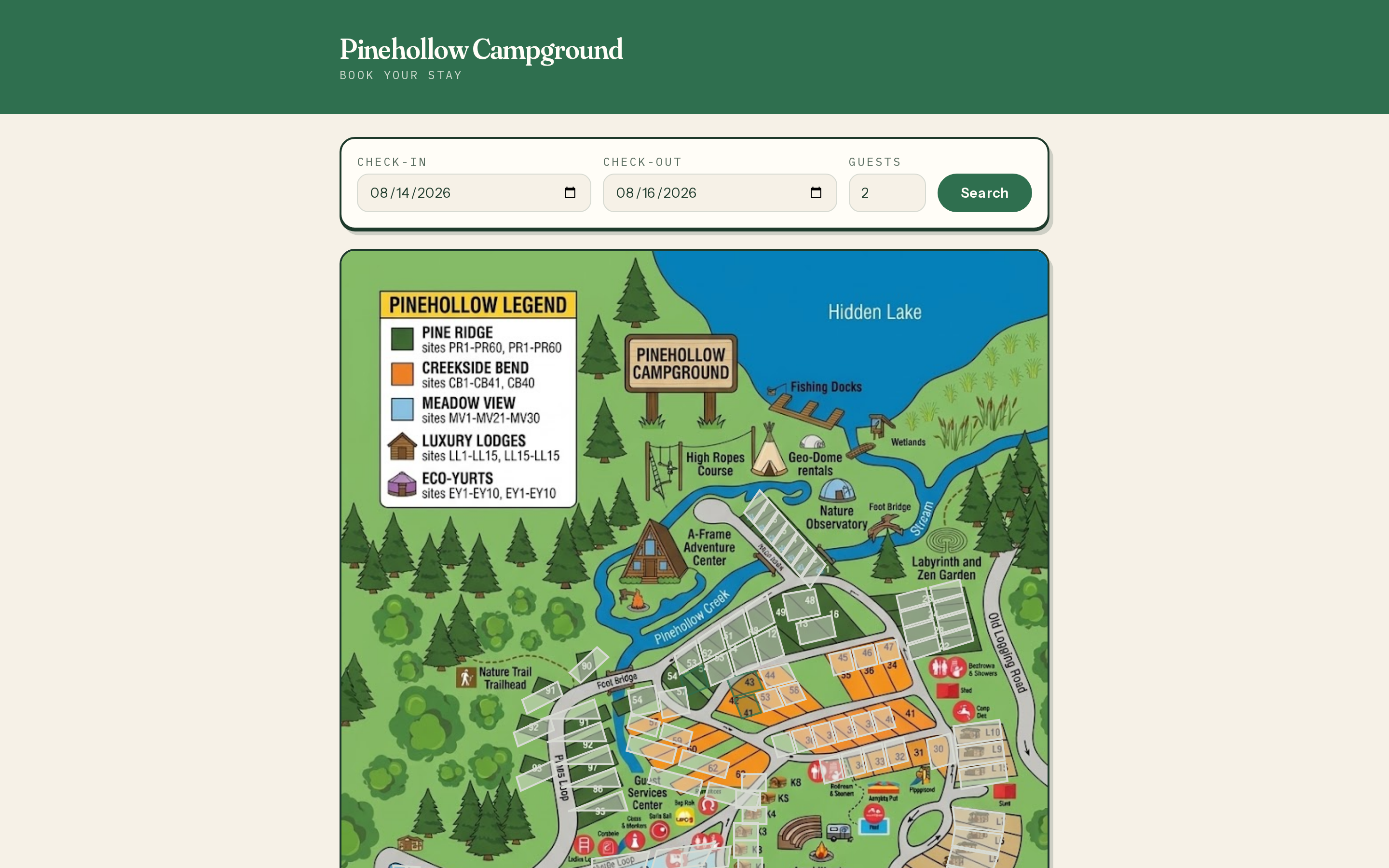
After the search — the park map with open sites tappable.
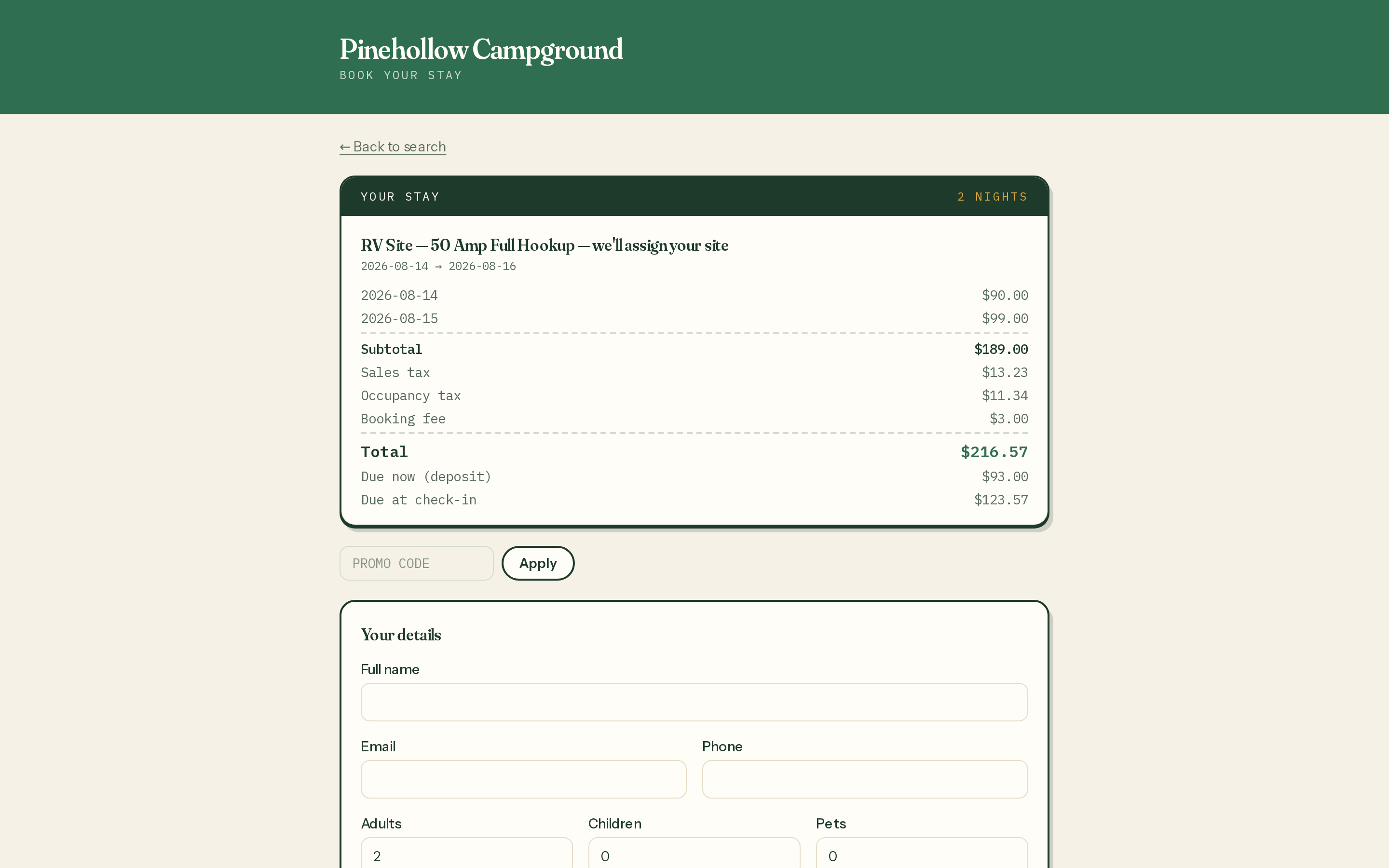
Checkout — the itemized total, add-ons, and waiver before the card form.
The stay page: their whole trip on one link
The confirmation email links to a stay page — no login, the link is the key. It carries the itemized bill with a pay balancebutton, directions and arrival instructions, your cancellation policy, an add-to-calendar file, and an “Add to your stay” box for firewood and rentals. Gate code and WiFi appear only after check-in, if you've set them to — so codes don't wander before arrival.
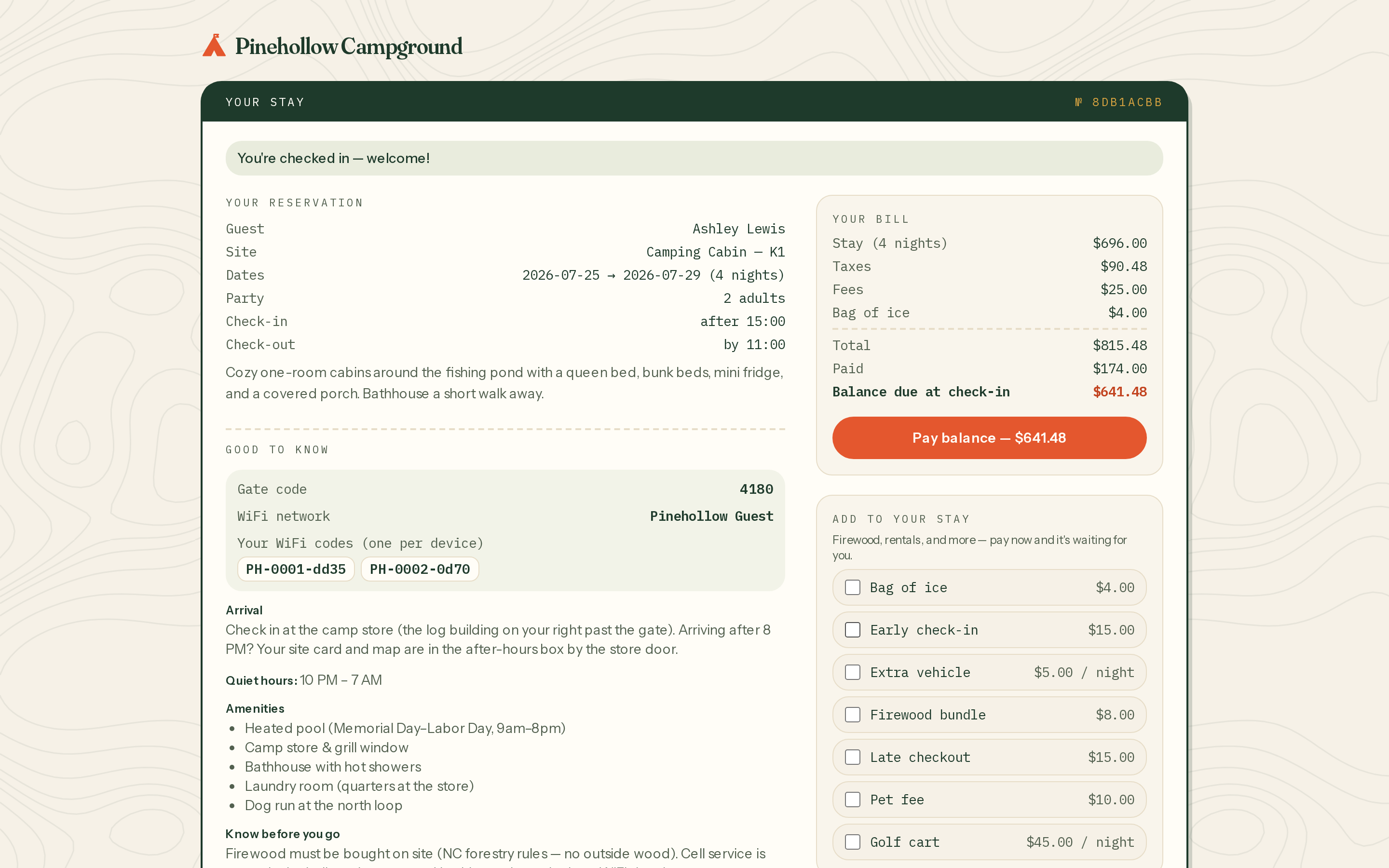
A checked-in guest's stay page — bill, gate code, WiFi codes, and the add-to-your-stay box.
The “I've arrived” button is guest self check-in: it flips the reservation to checked-in (only during the stay window), reveals the held-back codes, and spares your office the 9 p.m. wave. The full owner-side picture of arrivals lives in Reservations & front desk.
The emails, in order of appearance
- Confirmation — instantly on payment: itemized receipt, your policy, the stay-page link. (You get an owner notification at the same moment.)
- Reminder — the number of days before arrival you chose: directions, know-before-you-go, balance due if any.
- Thank-you — the day after checkout, carrying your review link. Reviews compound; ask every time.
- Waitlist notice — when a cancellation opens their dates, with a pre-filled booking link. First come, first told.
Every email wears your park's name, logo, and contact details — guests correspond with your campground, not a booking platform.
Groups without the group headache
A family reunion books up to five sites in one checkout and one payment; the reservations land linked, together on your calendar. And because there are no guest accounts anywhere in this flow, the percentage of campers who finish it is higher than any password form will ever manage.