
At a glance
- Site types
- Cabin, RV, tent, or other — each with a base rate, minimum nights, occupancy, and photos.
- Individual sites
- Every physical site is its own unit, with notes, its own photos, and an optional rate override.
- Rig length
- Set a max rig length per site type (10–200 ft) and online booking enforces it. Front desk can override.
- The map
- Upload a picture of your park map, outline each site, and guests book by tapping their spot.
Types first, then sites
Bunkpost thinks about inventory the way you quote it on the phone: first the kind of thing (“a 50-amp pull-through”), then the specific one (“site 14, the shady one by the creek”). A site type holds everything guests compare — nightly rate, minimum stay, max occupancy, description, photos. The sites under it are the physical spots, each with its own name, private notes, and photos.
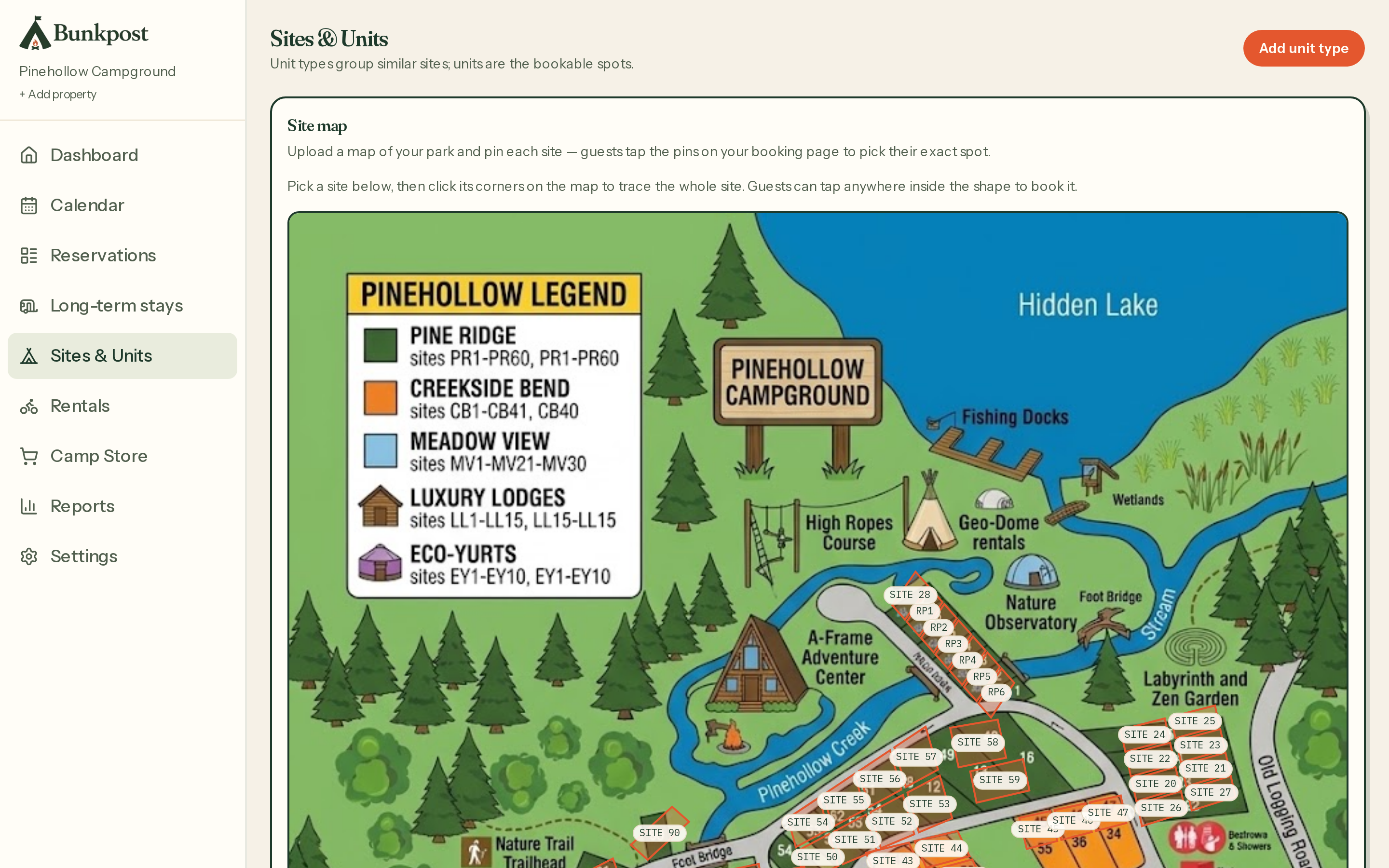
Sites & Units — types carry the pricing; individual sites carry the quirks.
- Per-site rate override — if Riverbend 12 is worth $5 more than its siblings, charge it without inventing a new type.
- Active flag — take a site out of service without deleting its history. (For short outages, a calendar block is the better tool.)
- Max rig length— set 10–200 ft per type, or none. Online guests enter their rig length at checkout and physically can't book a site it won't fit; your front desk can override when local knowledge says the 38-footer will make the turn.
The interactive site map
This is the feature guests mention. Upload any picture of your campground map — the hand-drawn one on your rate card works — then outline each site on it. From then on, guests who search dates see your actual park: open sites are tappable straight through to checkout, taken ones are muted.
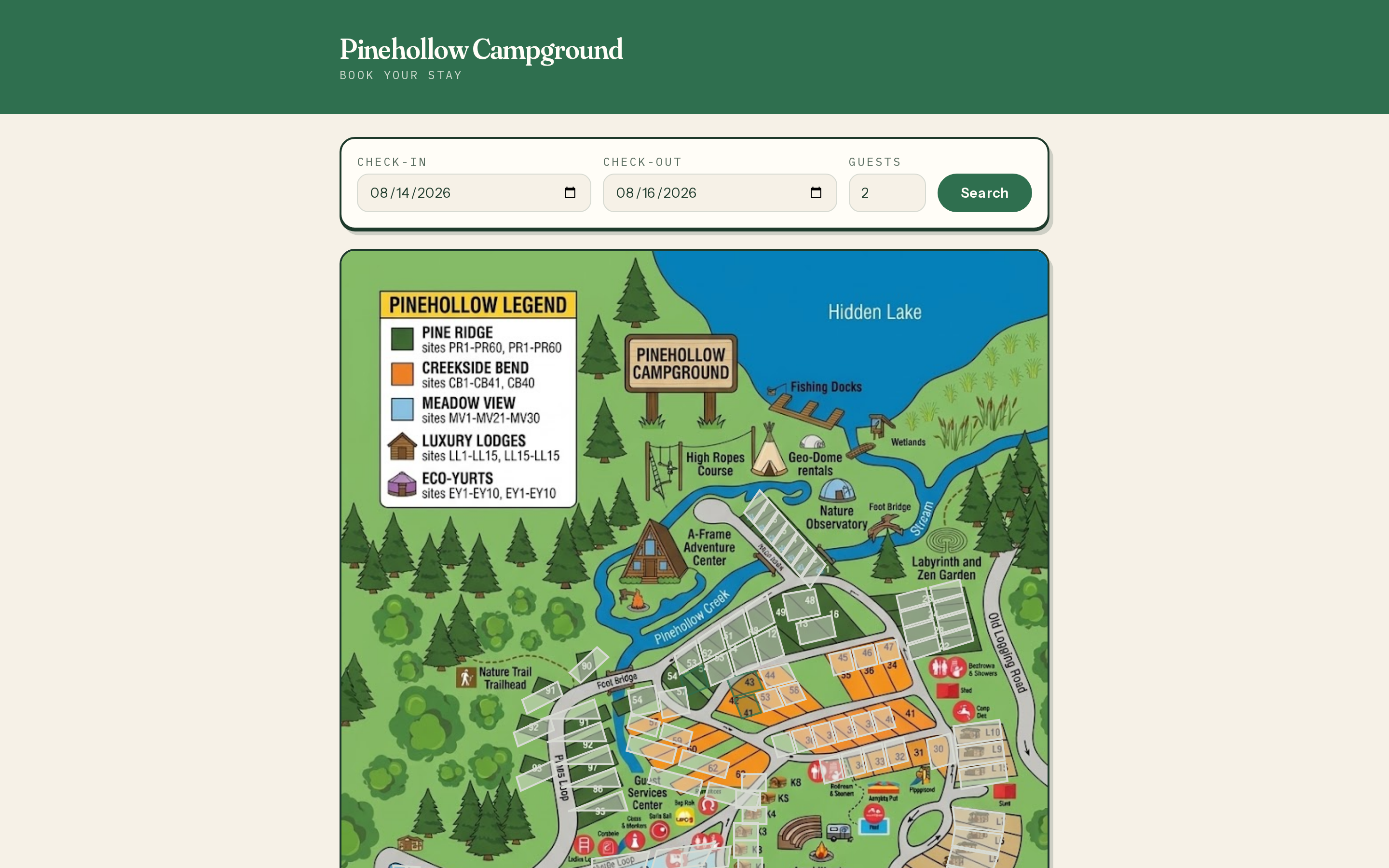
What guests see after searching dates — the park itself, not a list.
Upload the map image
Sites & Units → upload site map. A phone photo of the paper map is a fine start; you can swap the image later without redoing the outlines.Outline each site
Click to trace each site's footprint and assign it to a unit. Budget an evening for a 60-site park — it's tedious exactly once.Decide what picking costs
Set an optional site-lock fee in Policies. With a fee set, guests choose: pay to guarantee Riverbend 12, or take the cheaper “any site — we'll assign one” option and let you keep Tetris rights.