
At a glance
- Time to first booking
- Most parks are live in an afternoon. The setup wizard is three steps.
- What it costs you
- Nothing — no monthly fee, no setup fee. Guests pay a flat $3 booking fee at checkout.
- What you need
- An email address, your rates, and a bank account for payouts. No credit card to start, no contract.
- If you get stuck
- Book a free 20-minute call and we set the park up with you, live.
Create your account
Sign up with an email and password, or one click with Google or Facebook. There's nothing to install and nothing to host — Bunkpost runs in the browser, on whatever computer, tablet, or phone the front desk already has.
The first thing Bunkpost does is create your property and walk you into a three-step setup wizard. You can't get lost: the app won't drop you onto a blank dashboard until the essentials exist.
The three-step setup
Sites and rates
One form creates your first site type — “30-amp RV site,” “camping cabin,” whatever you rent — with a nightly rate, and numbers out however many of them you have. You can refine photos, per-site quirks, and the site map later; details in Sites & units.Booking policies
Your deposit rule and check-in/check-out times. If you skip the deposit, guests simply pay in full — you can add cancellation windows and a waiver any time in Rates, taxes & policies.Connect payments (optional, last)
Stripe's guided onboarding links your bank account so payouts arrive daily. It's the only step that asks for real paperwork, and you can postpone it — everything else works while you practice.
The dashboard keeps score
After the wizard, the dashboard shows a “Get ready for guests” checklist — sites, rates, policies, payments — and quietly disappears once all four are done. From then on it shows the things an owner actually checks at 7 a.m.: who's arriving today, who's leaving, occupancy, the next seven days, and anyone waiting on the waitlist.
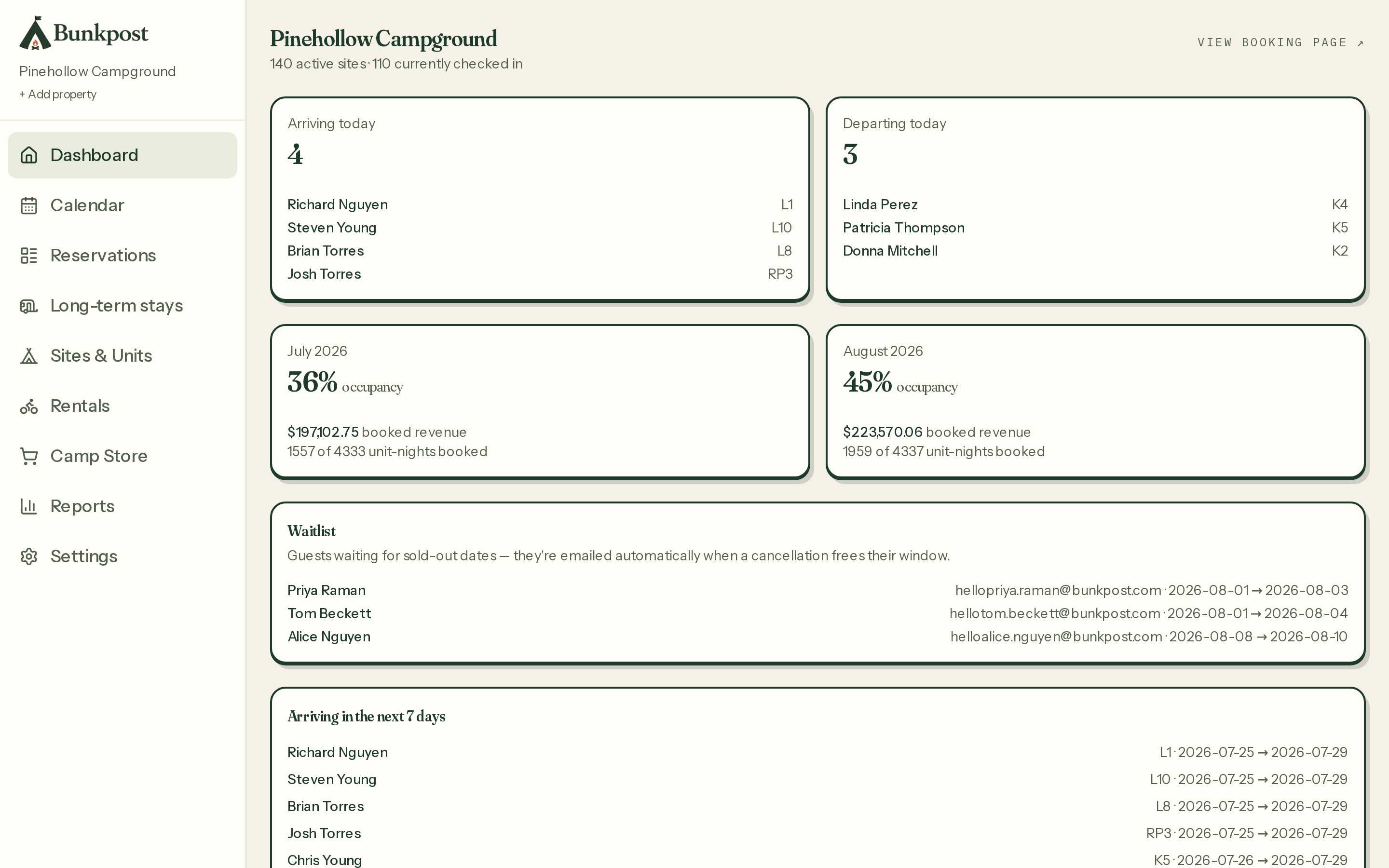
The dashboard on a summer Saturday — arrivals, departures, occupancy, and the week ahead.
Share your link. That's the launch.
Your booking page lives at bunkpost.com/book/your-parkfrom day one. Put it on your website's “Book Now” button, your Google Business profile, and your Facebook page. There is no marketplace and no listing to maintain — guests who click it are your guests, booking directly with you. The full tour of that page is in Your booking page.
What Bunkpost costs
Bunkpost is free for the park: no monthly fee, no setup fee, no percentage of your revenue. The only money Bunkpost makes is a flat $3 booking fee the guest pays at checkout, shown as its own labeled line before payment. Card processing goes through your own Stripe account at Stripe's standard rates. The math, with examples, is on the pricing page.